Everything in one place: Your central workflow with a dedicated inbox
With ChurchDesk Workflows, you manage both internal and external projects as well as life events in your parish, from initial planning to the end of the process. The tool gathers all relevant information together in one central place - from staff communication and documentation to dates, contacts, and tasks. With a digital inbox linked directly to the module, incoming emails can be automatically assigned to the corresponding process. You get a clear, customizable structure that makes collaborative planning easier than ever.
Centralized and Integrated Ticket System for Streamlined Workflows
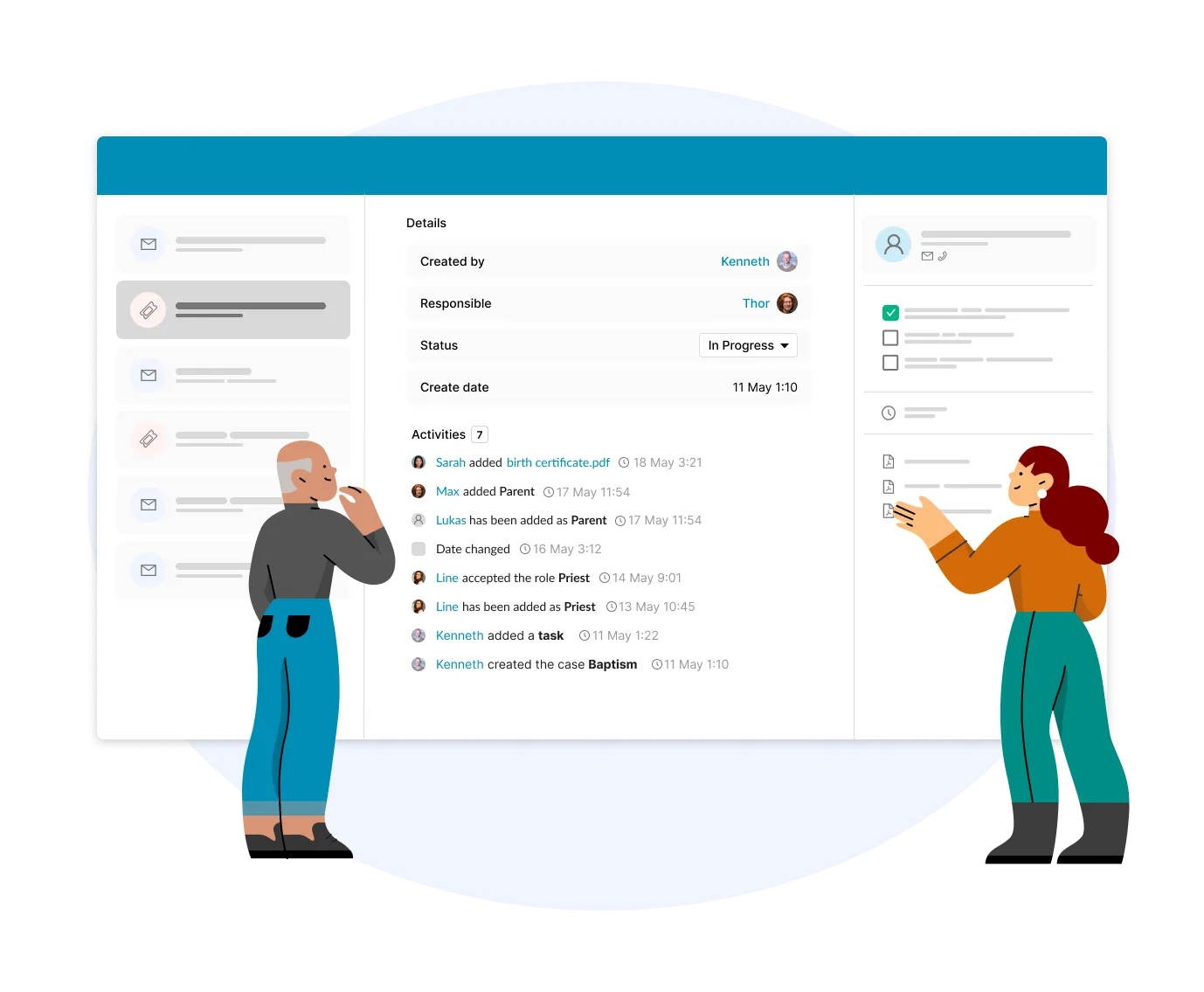
Workflows provides a centralized ticket system to optimize church processes. Every request and every process—from sacraments to room rentals—can be captured as a ticket and tracked seamlessly. Define tasks, deadlines, and responsibilities, and link all relevant information like documents, contacts, and forms directly to the ticket. Standardized templates and automations ensure consistent workflows, reduce manual work, and give you full transparency on the status of every task.
Shared Inboxes for Seamless Collaboration
With shared inboxes, you can streamline your general email management. All your communications are consolidated in one central place, allowing your team to work together to receive and respond to emails, easily assign conversations, and track their progress from start to finish. Gain full transparency and eliminate duplicate work while ensuring every request is answered. With intuitive navigation and the ability to assign conversations directly to contacts, you can improve responsiveness and foster seamless team collaboration.
Automations that meaningfully support your processes
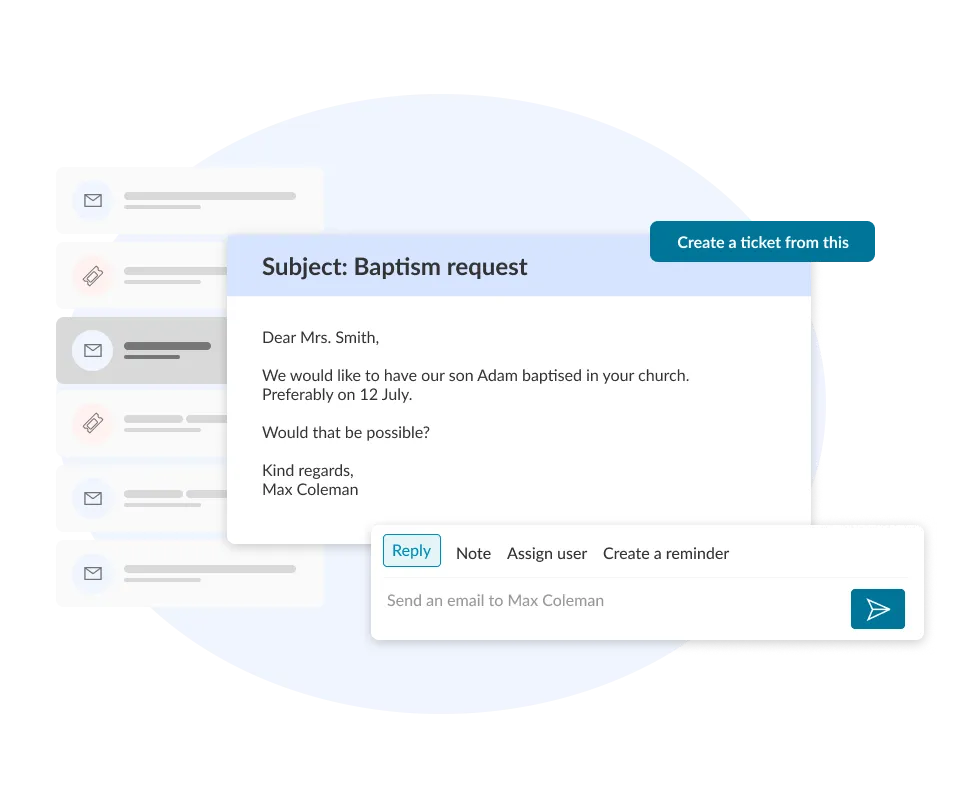
We rely on automation to meaningfully support your processes, from the first request to case handling. In the shared inbox, emails are automatically assigned to conversations, threads are reopened, and contacts are created or linked, greatly simplifying the workload. At the same time, form submissions can automatically trigger tickets, depending on your settings, that are linked to all relevant objects and send notifications to the responsible team members. This way, staff are supported by the system as effectively as possible and no case is left unhandled.
- Parish secretary: Keep track of complex coordination tasks such as baptisms or weddings. Simply check off completed tasks and see immediately what is still pending.
- Communication officer: Organize major events like the Christmas bazaar or concerts with a reliable timeline, ensuring that resources, PR and rooms are ready on time.
- Ministry & education: Get organised when planning youth ministry or new projects in the parish. All the tasks can be tracked, while relevant information is available and accessible at any time.
Challenges today
Scattered notes and endless mails back and forth
When vital information is spread across emails, loose scraps of paper, and different physical folders in the office, it’s easy to lose track of the process. The tedious search for details costs valuable time and leads to tasks being overlooked or taking longer than planned.
Lack of structured planning and reminders for the team
Many parishes lack a central, structured organization for events planning, room coordination, and resources. When multiple deadlines collide and responsibilities are split across different roles without automatic reminders, tasks must be checked manually. This leads to extra work and mistakes.
Uncertainty during absences
If someone is away for a longer period due to illness or vacation, work often grinds to a halt because no one knows the current status. Emails are hidden in an inbox and documents are in a folder in the office that cannot be accessed by anyone remotely. Returning from holiday often means manually reviewing every case, as the lack of a formal handover leaves you guessing where your stand-in left off.
When using ChurchDesk Workflows
Everything in one place with ChurchDesk
A new process is created automatically via an incoming form, email, or booking request, bundling all relevant information centrally. With your ChurchDesk modules being interconnected, you can enabling an efficient and secure workflow. This ensures you always have a full overview of who completed which steps and what remains to be done.
Digital support through ready-to-go templates and reminders
Ensure a strong and steady start for your planning with customizable templates and checklists tailored to your parish. Automatic reminders notify you and other team memeber of pending tasks in good time, so you never miss a deadline.
Seamless collaboration
Plan life events and bigger projects effortlessly as a team and keep track of all progress. Thanks to digital handovers, you can assign processes to colleagues with a single click, ensuring that no knowledge is lost.